

AI Rewording Tool
Reword your draft with AI when your point is right but the sentences need work
New wording for your text, same meaning, same register.
What is the AI rewording tool?
AI Rewording Tool by Humanize AI is a free AI reworder that turns the text you paste or upload into new sentences. Rewording here means rebuilding each sentence with a new subject or verb, a moved clause, or a merge or split, so a stiff or repetitive draft reads fresh while its meaning and register stay put. You get a draft that says what you meant in the register your reader expects, and the highlighted changes let you check it against your original before you use it.
How the AI rewording tool can assist you
Choose how much your wording changes
The Rewrite level slider has three stops: Quality keeps the result closest to your sentences, Balanced sits in the middle, and Max rebuilds the most. This rewording tool can give one draft a light polish or a full rework.
Reword professionally or in plain English
Tone sets the register of the rewrite: Formal for business writing, Academic for papers, Simple for plain explanations, with Standard, Informal, Flowing, Expand and Shorten also on the list. The same draft can be pitched at a different reader without starting over.
Keep the rewrite in your own voice
Custom style learns from 150 to 1,200 words of your own writing, pasted or uploaded, and pulls every rewrite toward its rhythm and word choice. The saved style stays in your account for later runs, and Rewrite level is greyed out while it is on.
Key features of the AI rewording tool
Plagiarism Checker
After you rework a passage drawn from a source, the plagiarism checker shows which sentences still match web pages, with each source URL and its match percentage. You know what to quote or cite before the text goes anywhere.
AI Paragraph Rewriter
Rewording a long draft in one go leaves a lot of changes to review. The AI paragraph rewriter fits the one-block-at-a-time job: its run button reads Rewrite paragraph, and you can compare each paragraph with its original before moving on.
AI Sentence Rewriter
When a single line is the problem, the AI sentence rewriter fits that smaller job: one sentence goes in, a reworded version comes back, and the paragraph around it stays as you wrote it.
How to use the AI rewording tool
Add the text you want to reword
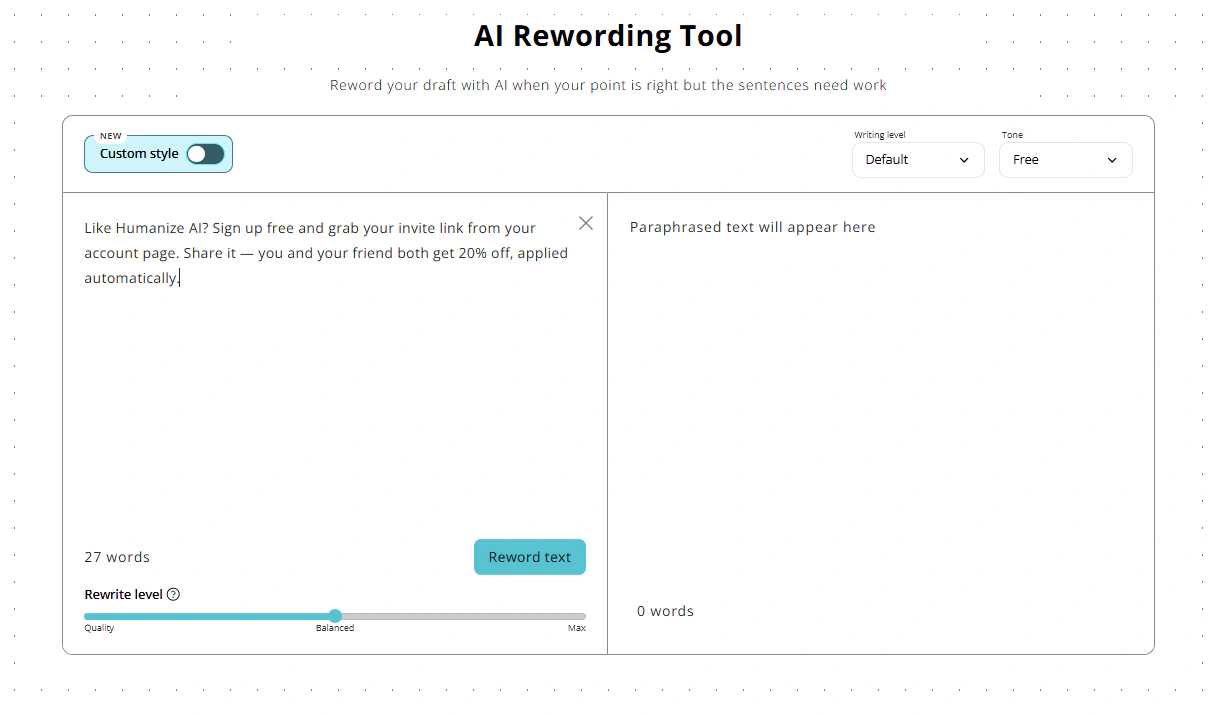
Click Paste here, or choose Upload file for a .txt, .docx, .pdf or .md document. Try a sample fills the box with a short example if you'd like to see a run first.
Set Rewrite level and Tone
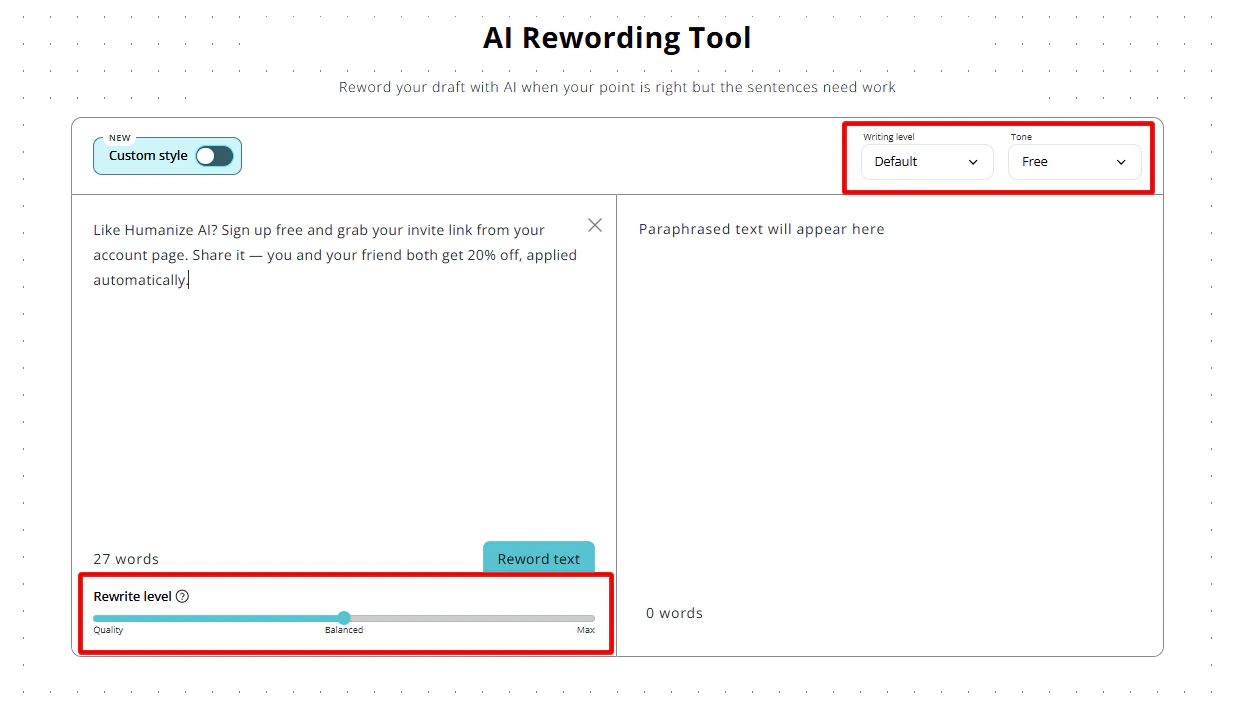
Rewrite level starts on Balanced and Tone on Free. Writing level sets how plain or dense the result reads, from Easy to read to Very difficult.
Click Humanize AI
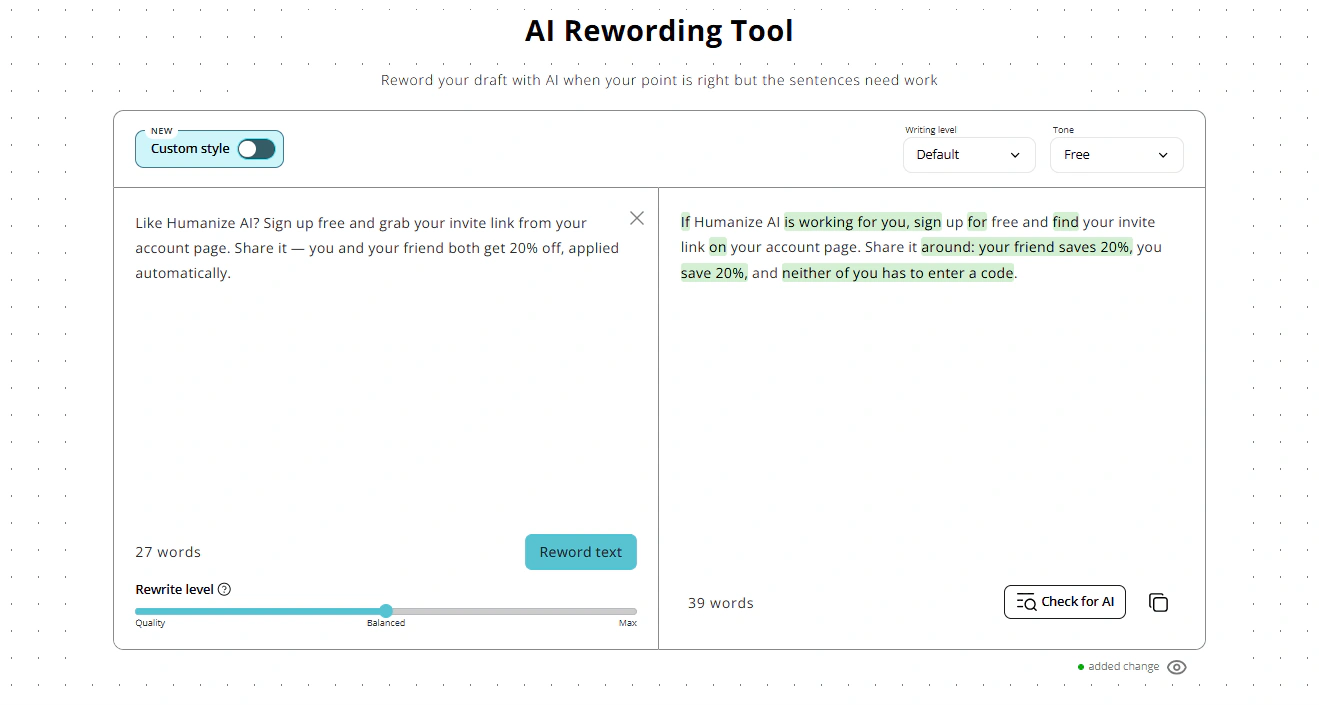
The rewording tool returns the new version in the right panel within a few seconds, with added wording in green. The eye icon under the panel hides the highlighting.
Copy the result or check its tone
The copy icon sits to the right of Check for AI. You can pick the Tone or Writing level the text should match; if the result comes back as "May need adjustment", Adjust settings opens Rewrite with your preferences, where Rewrite with these settings writes another version.
Who uses the AI rewording tool
Students
Students use the rewording tool for essays, lab reports and literature reviews when a paragraph reads awkwardly or repeats the same sentence pattern. The rewrite keeps the formal register their course expects.
ESL writers
Writers working in English as a second language use AI to reword text that is correct but stiff, so it reads naturally in the register their reader expects. Cover letters, applications and research abstracts are typical jobs.
Content writers and marketers
Content teams refresh older product pages and site copy in the rewording tool so the wording feels new while the message stays the same, and start rewording AI-assisted drafts here before they reach an editor. Marketers treat the rewording AI tool as a reword generator for headline, ad and email variants; blog posts have their own page, the AI article rewriter.
Business professionals
Before an email, report or proposal goes out, professionals use the AI rewording tool for a quick "reword this to sound more professional" edit instead of rewriting by hand. The point stays the same, and the wording fits a client or a manager.
Give your next draft new wording
Paste the paragraph you have already rewritten twice, let the free AI rewording tool rebuild it at Balanced, and keep the version that says what you meant.
Frequently Asked Questions
Is the AI rewording tool free?
Yes. You can reword with AI here at no cost, with unlimited Quality and Balanced runs. Without an account, each cycle covers up to 200 words and you get 3 Max runs. A free account raises the limit to 400 words per cycle and adds 5 more Max runs, the Tone options beyond Free, Rephrase for a selected sentence and downloads of reworded files.
Will the AI rewording tool change my text?
Yes, it changes your text but keeps the meaning and register. Sentences get new structure and wording, so before you use the result, read names, figures and quotes, and check that every point made it across.
Can I reword a whole document?
Yes, within the word limit per cycle from the answer above. Upload file takes the whole document, and the reworded version downloads in the same file format.
Can I reword AI text from ChatGPT or another AI writer?
Yes. Rewording AI text from ChatGPT, Claude or Gemini works the same way as rewording your own draft. When you reword AI-generated text in this AI rewriting tool, Balanced or Max changes more of its stock phrasing than Quality does.
Is rewording something plagiarism?
It can be. Putting a source's ideas into new words doesn't make them yours, so a reworded passage still needs a citation to the original author. The ethics statement explains how the rewording AI tool is meant to be used.
Does the AI rewording tool work in other languages?
Yes. Text in another language, such as a Spanish paragraph, comes back reworded in that language.
Does the rewording tool store my text?
No. The text you paste or upload isn't stored, and it stays private.